Posts

Showing posts with the label google Chrome under fedora

Google released Beta version of Chrome for Linux

Image
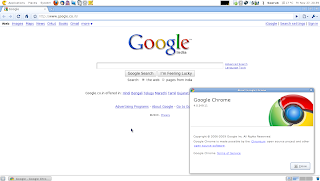
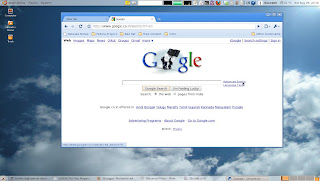
Google is out with its 'Beta' build of its browser for Linux , in just couple of weeks after the unstable build was made live for public. The Beta version of the browser like its Windows build is fast , secure , stable , simple , extensible , and embraces open standards like HTML5 . All of the user who have installed the unstable version will have to un-install the older unstable version and then install the new 'BETA' version available under the Linux repository from Google as mentioned in the earlier post. The process of installation is just the same, with minor changes. 1. Search for the available packages for Google Chrome [root@mybox ~]# yum search chrome Look in the search results for packages by name 'google-chrome', packages similar to following will be listed. google-chrome-beta.i386 : Google Chrome google-chrome-unstable.i386 : Google Chrome 3. Check if the unstable version is installed. [root@mybox ~]# yum list installed |grep google-chrome...
Google Chrome released for Linux [Unstable]

Image
The Google Chrome Browser is finally out for the Linux distributions.Presently Google have marked it as unstable. Process of installing chrome on the Fedora 11 box went as below : 1. As root, added a file called google.repo in /etc/yum.repos.d/ for a new repository information. [google] name=Google - i386 baseurl=http://dl.google.com/linux/rpm/stable/i386 enabled=1 gpgcheck=1 gpgkey=https://dl-ssl.google.com/linux/linux_signing_key.pub 2. Searched for chrome in the available repositories. [root@mybox yum.repos.d]# yum search chrome Loaded plugins: presto, refresh-packagekit =========================================================================== Matched: chrome =========================================================================== links.i586 : Web browser running in both graphics and text mode bleachbit.noarch : Remove unnecessary files, free space, and maintain privacy google-chrome-unstable.i386 : Google Chrome qfaxreader.i586 : A multipage monochrome/c...

Chrome @ Fedora

Image
Installing Chromium on Fedora isn't really all that much harder than it is on a Debian-based system. But with Fedora you have a couple of different options. You can either install from command line or you can install using the yum package management too. The benefit of installing via yum is that you will be able to update Either way the installation is simple. Let's take a look at the Yum. You have to follow the following steps: Open your vi editor and enter the gain 'root' access. Create the '/etc/yum.repos.d/chromium.repo' file. Add the following contents to the file: [chromium] name=Chromium Test Packages baseurl=http://spot.fedorapeople.org/chromium/F11/ enabled=1 gpgcheck=0 Save the file. Update the yum database using : 'yum update' Finally fire the install : 'yum install chromium -y' Doing this all will install Chromium on your fedora 11 system.Which can be accessed from under Applications -> Internet -> Chromium Web Browser The ...